OVR Jump
Categories
Articles
Can an athlete "cheat" the lasers?
Contrary to common belief, the laser jump system isn't consistency susceptible to "cheating". While the athlete could pull their legs up to land later, this will feel and look awkward for the athlete as well as their coach. It's also the shortest por
How does OVR Jump work?
OVR Jump uses a laser technology to instantly sense when an athlete is on or off the ground. This allows it to measure key metrics about an athletes jumping and reactive strength.
How accurate is OVR Jump?
With proper use, OVR Jump is very consistent at measuring jump height, RSI, and GCT. An athletes position is measured 1000 times per second to ensure precise measurements. Without the pressure thresholds that can be present on jump mats, you'll get r
Why use lasers for jump measurement?
Differing from other jump measurement products, OVR Jump's laser system is able to directly measure the athlete's presence on the ground, without a weight threshold. Due to this, we see very consistent readings.
Does the device have metric units?
Yes, all devices have imperial and metric readings. Navigate to the device settings to change the units!. In the app, go to your profile tab to choose your preferred units.
What's the minimum jump height?
The minimum jump height for the OVR Jump device to record is 6 inches or 15 centimetres. Jumps below this height will not be registered by the device.
Is it durable?
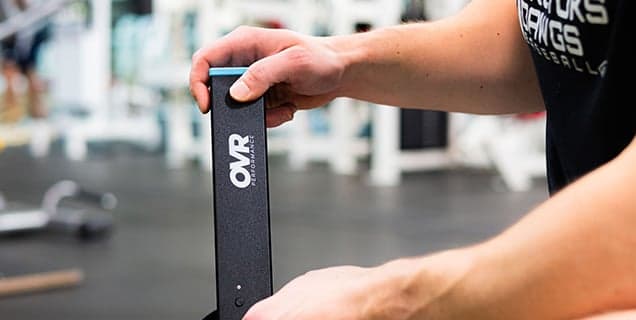
Both bars are made of anodized aluminum to protect the device from damage.
Does it need to be reset in between athletes?
No! There is not resetting needed when changing between athletes. Once one athlete walks out, the next can step up and jump immediately with no additional steps.
Does athlete weight affect readings?
No – the weight of the athlete has no effect on readings. Since the system is based on lasers instead of force, it measures the presence of the athlete, and doesn't rely on weight or pressure.
How heavy is the jump system?
OVR Jump is only 1.6 pounds (both bars), saving you lots of space and making the system highly portable.
Can I demo the product?
We don’t offer demos, but every purchase comes with a 100% money-back guarantee for U.S. orders. You can test the product risk-free for 60 days.
How does the rest timer work?
The rest timer will reset after every jump, giving you your current rest time to the second. When on, it will appear at the top of the device display. You can turn the timer on or off in the device settings.
What do the buttons do?
Left Button: Previous jump. Right Button: Next jump. Both Buttons (Short Press): Reset data. Both Buttons (Long Press): Device Settings. Left Button (Settings): Move Selector. Right Button (Settings): Select
What surfaces does OVR Jump work on?
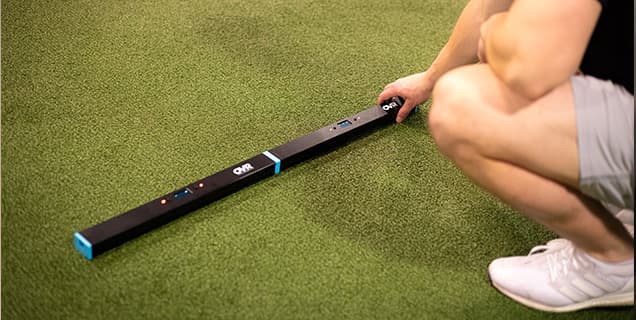
OVR Jump works on essentially any surface. As long as the lasers have a clear path from the sender to receiver (1/2" off the ground), you are good to go. Turf, concrete, track, gym, outdoors and much more!
How do I program jumping in my training?
We released a free 6 week conjugate training program to help athletes program jumps into their training. Click the link below to check it out!. OVR 6-Week Conjugate Program
Should I use a forwards or sideways setup?
We always recommend the forwards setup when possible, with one foot in the middle of the long bar. As long as one foot starts in the lasers, and one foot lands in the lasers, you are all set. The sideways setup has the potential for the athlete to ju
How does this compare to jump mats?
OVR Jump has some key advantages over jump mats:
What does the device measure?
The device has three modes:. Vertical Jump Mode. RSI Mode. GCT Mode. You can change between modes in the device settings, or with the app!
How many jumps will it record?
OVR Jump will continue to read jumps with no limit. It will continue to read as long as you continue to jump. When it reaches 100 jumps, it will reset the stored data and continue to record with no delay.
How far can the sender and receiver be placed apart?
The sender can be placed up to 20 feet apart (sometimes even further under good conditions). We recommend placing them at least 4 feet apart.